Identify tracks. Track sessions. DJ smarter.
Okbordero helps DJs identify songs, track every session, and keep their music workflow organized.
Everything a DJ needs during a gig
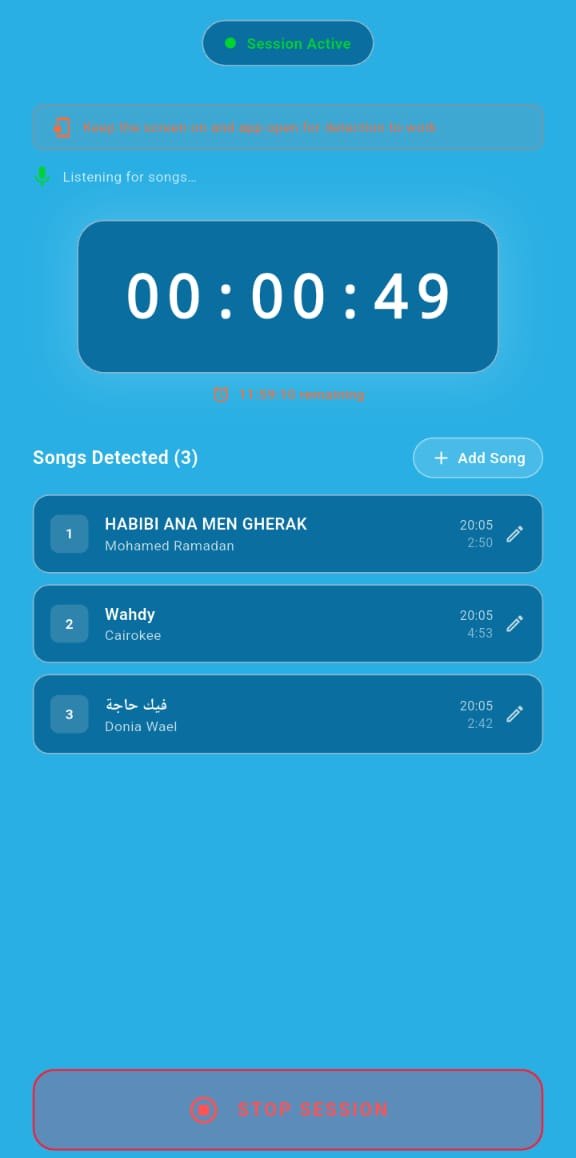
Automatic song detection
Okbordero listens while your session is open and identifies tracks the moment they play. Keep the app open during your set — closing it pauses detection.
Live session timer and song list
A running timer keeps track of session length while detected songs are listed in real time. Missed a track? Add it manually in seconds.
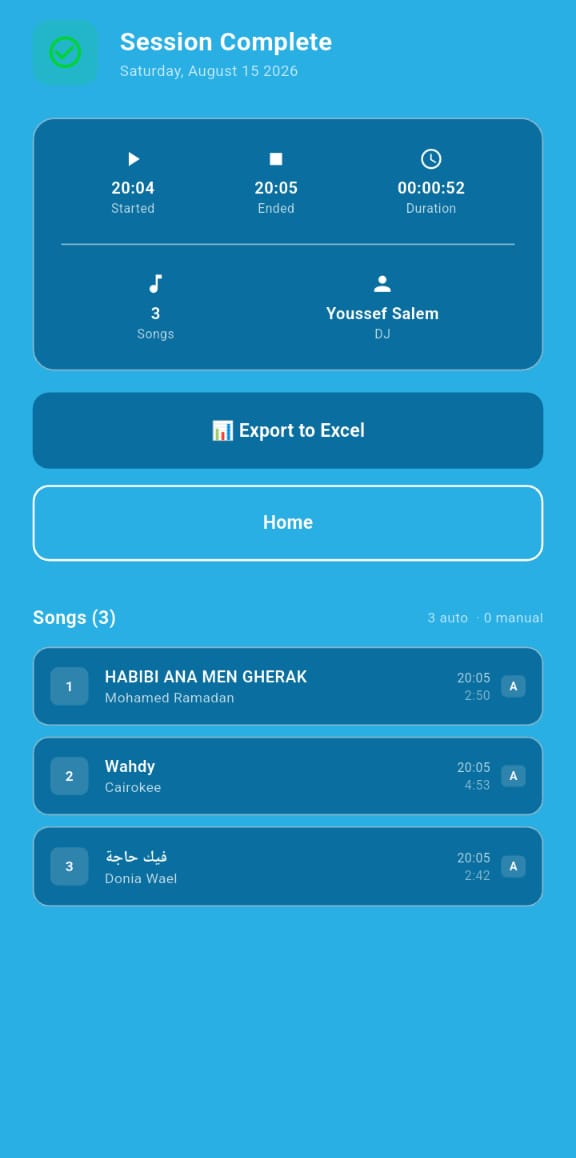
Session history and export
Every session is saved with its full tracklist, start and end times, and duration. Export any session to Excel for your records or reports.
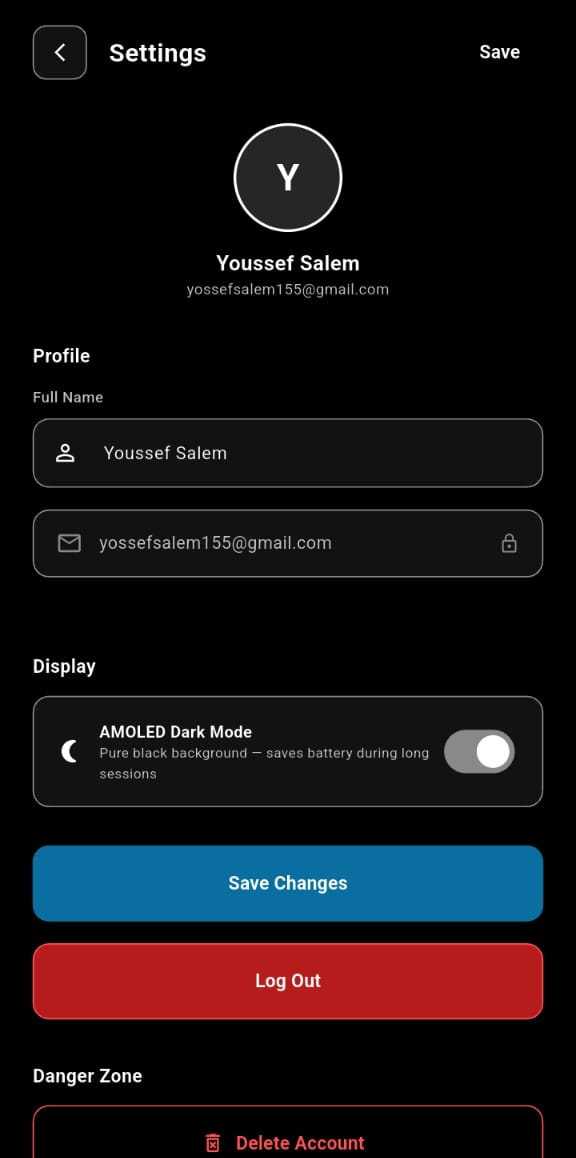
Profile management and dark mode
Manage your profile and app settings from one central place. Switch on dark mode to save battery during long sets.
Four steps, every gig
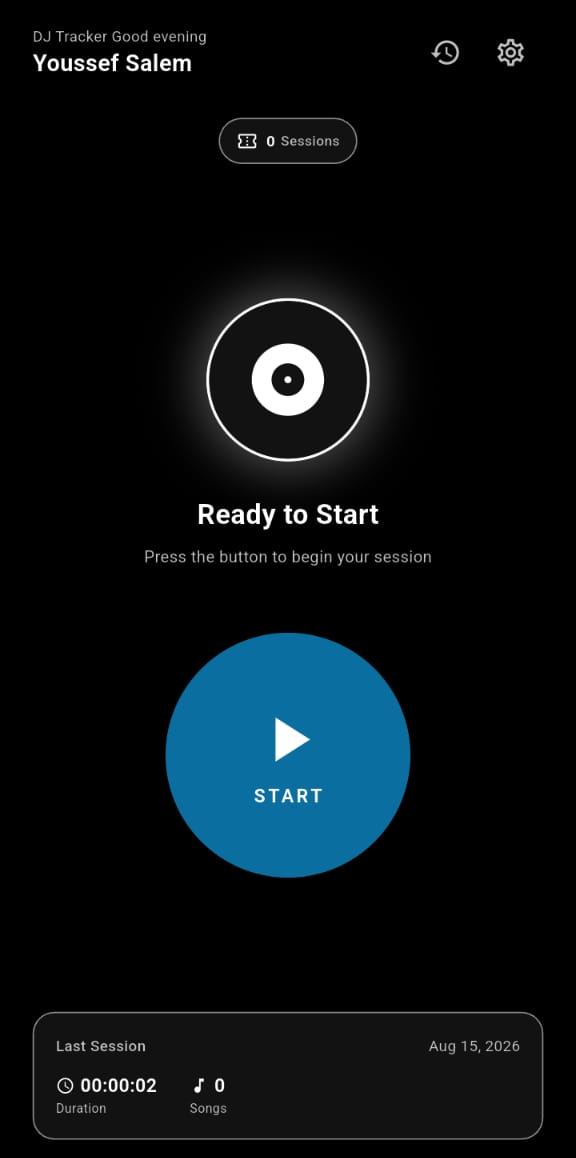
Start a Session
Launch the app and press Start right before you hit the decks.
Detect & Track
Okbordero listens to the room and silently records your setlist.
Review Your Set
Look back at your detected tracks and gig history afterward.
Export to Excel
Export the full tracklist and timestamps for any session straight to Excel.
See Okbordero in Action
See how Okbordero works during a real DJ session.
Ready to DJ smarter?
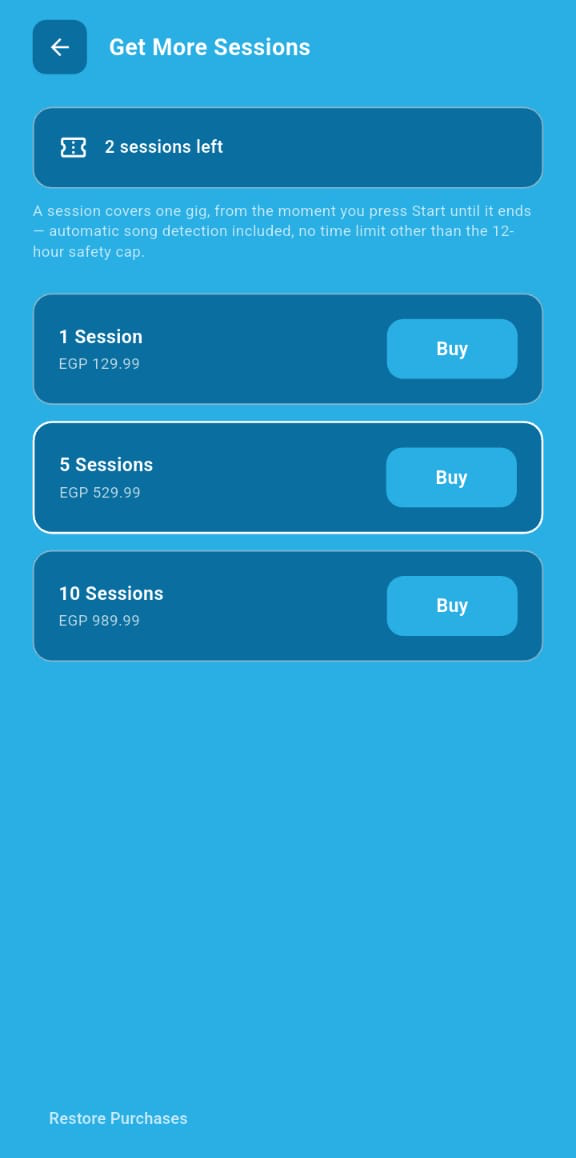
Sessions, not subscriptions
A session covers one gig, from the moment you press Start until the session ends. Automatic song detection is included.
Sessions are purchased inside the Okbordero mobile app via the App Store or Google Play.